


Business email hosting can cost nothing for a basic setup or several dollars per user each month for a managed service. Some providers offer free custom-domain email for a small team, while paid plans add storage, desktop email-client access, administration, support, and collaboration features. The right choice depends on how many mailboxes you need and what each person must be able to do.
For a small business, the cheapest plan is not automatically the cheapest long-term solution. Domain registration, additional users, security requirements, migration, and renewal terms can change the total cost.
This guide compares real published options and helps you decide what is worth paying for.
Key Takeaways
- Free business email and free custom-domain email are not the same thing. Many free inboxes use the provider's address, while custom-domain hosting requires a separate service or an eligible free plan.
- Zoho Mail offers free custom-domain hosting for up to five users in supported data centers, but its free plan has important restrictions.
- Paid email-only plans can cost less than full productivity suites such as Google Workspace or Microsoft 365.
- A custom domain and email authentication matter more than simply choosing the most expensive provider.
- The most useful cost comparison includes every mailbox, renewal pricing, domain charges, and migration requirements.
What Does Business Email Hosting Actually Cost?
Business email hosting lets you receive, store, and send email through a provider.
A custom-domain business address might look like [email protected], rather than an address ending in @gmail.com or @outlook.com.
The domain and the mailbox service are related but separate purchases.
You typically register a domain through a domain registrar and connect it to an email provider. Some services can help manage both, but the domain registration fee may still be separate.
Business email pricing comparison
The following examples use publicly advertised US prices checked on November 2, 2026.
They are not sponsored rankings or results of hands-on product testing.
| Service and plan | Advertised US price | Custom-domain email | Important distinction |
|---|---|---|---|
| Zoho Mail Free | $0 | Yes, where eligible | Up to 5 users and 5 GB each; limited features and geographic availability |
| Zoho Mail Lite, 5 GB | $1/user/month | Yes | Email-focused paid hosting |
| Microsoft Exchange Online Plan 1 | $4/user/month | Yes | Standalone business email rather than a full office suite |
| Fastmail Standard | $5/user/month | Yes | Email, calendars, contacts, and collaboration features |
| Google Workspace Business Starter | $7/user/month | Yes | Business email plus additional productivity tools |
| Microsoft 365 Business Basic | $7/user/month | Yes | Business email plus web/mobile productivity and collaboration tools |
Paid prices shown are standard advertised US-dollar rates with the applicable annual billing or commitment conditions, excluding taxes, domain registration, and temporary discounts. Availability and exact billing terms may differ by country.
Sources: Zoho Mail, Microsoft Exchange Online, Fastmail, and Google Workspace.
These offerings are not identical products. Some focus on email, while others include meetings, file storage, and collaboration tools.
A business should not assume that paying $7 instead of $1 buys six times as much email quality or deliverability.
It may simply purchase a different package of features.
How much would one or five users cost?
Here's an illustrative comparison using the standard prices above and a full 12 months of service.
| Plan | One user per year | Five users per year |
|---|---|---|
| Zoho Mail Free, if eligible | $0 | $0 |
| Zoho Mail Lite at $1/user/month | $12 | $60 |
| Exchange Online Plan 1 at $4/user/month | $48 | $240 |
| Fastmail Standard at $5/user/month | $60 | $300 |
| Google Workspace Starter at $7/user/month | $84 | $420 |
| Microsoft 365 Business Basic at $7/user/month | $84 | $420 |
These amounts represent mailbox subscription fees only, with the stated billing assumptions. They do not include domain registration, migration work, taxes, or optional services.
They also don't account for temporary promotional discounts.
The practical lesson: Team size can make a greater difference than the headline per-user price.
A plan that costs a few dollars more for one person may create a much larger annual difference across an entire organization.
Free vs Paid Business Email: What Do You Actually Get?
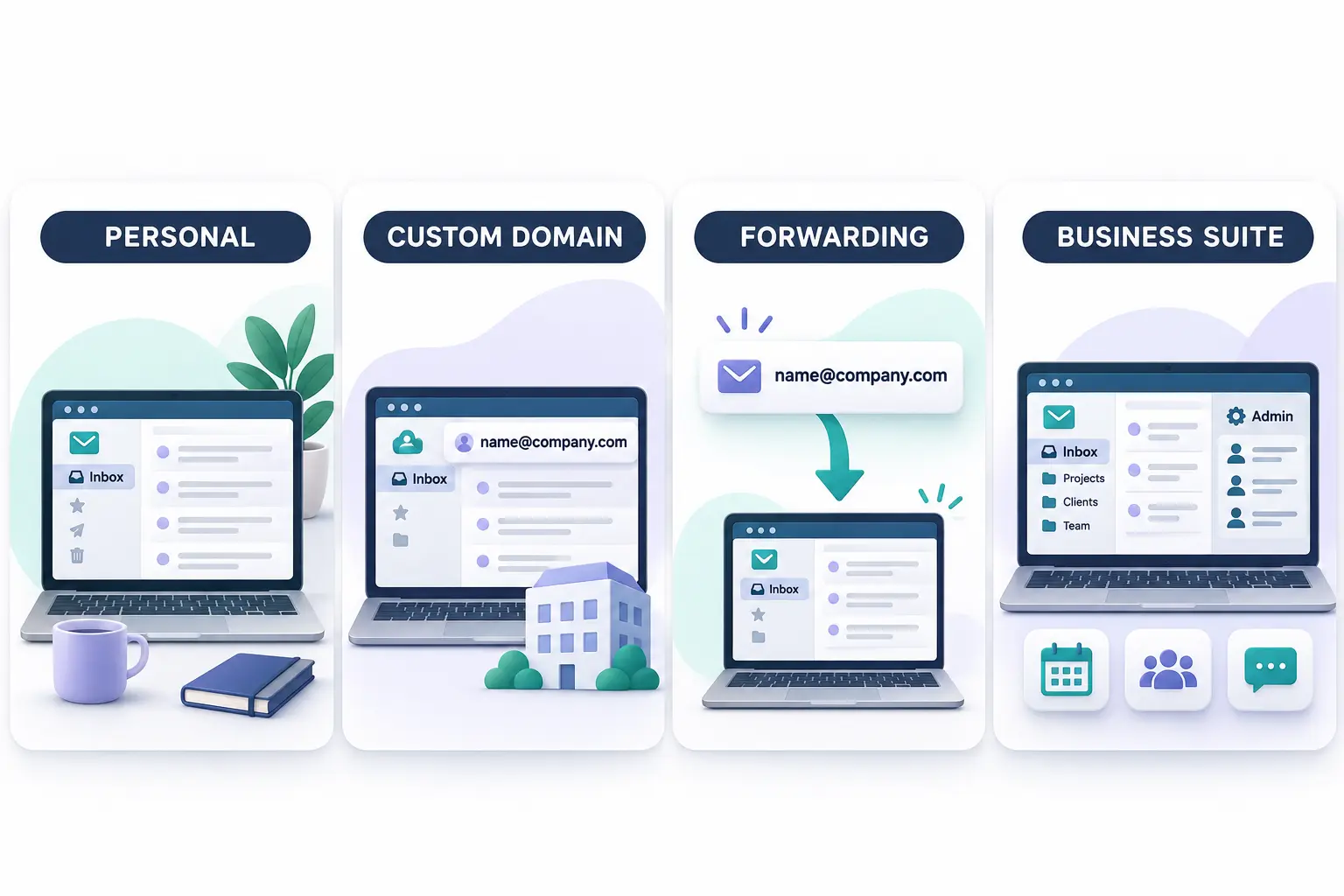
The decision is easier when you distinguish four common ways to obtain a business email address.
1. Free personal email
A free Gmail or Outlook.com account can handle normal messages without a mailbox subscription.
For a new freelancer or someone testing a business idea, it may be enough to communicate with early contacts.
However, a standard personal address does not automatically give you an email address at a domain you own.
That matters if you want a branded address or need to establish accounts for several employees.
Personal email may also lack the organizational administration, account ownership controls, or centralized management that a growing company needs.
There is nothing inherently unprofessional about a person using a personal mailbox, but a business-owned domain creates a more independent address that can potentially move between hosting providers.
2. Free custom-domain business email
Some providers offer a genuine mailbox connected to your domain without a recurring mailbox fee.
Zoho Mail's free plan is one example.
Its published terms include:
- Up to five users.
- One custom domain.
- Up to 5 GB of mail storage per user.
- Web-based access.
- No IMAP, POP, or ActiveSync on the free plan.
- Availability only in selected data centers.
This is important for international readers. Zoho describes free-plan eligibility in selected US, EU, and India data centers; do not assume an account created in every other region can use the same free offer.
A free custom-domain mailbox can be useful for a small operation whose users are comfortable with the supported web or app workflow.
It may be less appropriate if employees need third-party desktop email applications, larger storage, or additional business administration features.
Another important limitation appears when the company grows beyond the free plan's user allowance. Upgrading can require paying for every user rather than simply purchasing one extra seat.
3. Email forwarding instead of a mailbox
Email forwarding can let people contact an address at your domain while incoming messages arrive in an existing inbox.
For example, messages sent to [email protected] might be forwarded to the owner's personal mailbox.
Cloudflare's Email Routing documentation describes routing incoming messages to existing mailboxes.
This approach can reduce the need for additional inboxes, particularly when the business only needs a public contact address.
However, forwarding is not identical to a full hosted mailbox.
You must separately determine how outgoing mail will be sent from the custom domain, how replies behave, and whether the setup meets your business requirements.
Cloudflare also offers separate email-sending functionality, so it would be inaccurate to say that every Cloudflare email service is forwarding-only.
Choose forwarding when receiving messages at a branded address is the main requirement—not automatically when every employee needs a complete business inbox.
4. Paid custom-domain email
Paid hosting generally becomes useful when a business needs more reliable day-to-day administration or capabilities unavailable in its free setup.
Depending on the service, these may include:
- Larger mailbox storage.
- More users.
- Desktop and mobile email-client integrations.
- Calendar and contact sharing.
- More flexible aliases or shared mailboxes.
- Account provisioning and administrative controls.
- Migration assistance or support options.
- Retention, compliance, or security features on appropriate plans.
Not every paid plan includes all of these features.
For example, a low-cost standalone mailbox may offer the exact email functionality you need without including a separate video-meeting platform, office suite, or large cloud-storage allocation.
That distinction can make a paid email-only plan better value than a larger software bundle.
When Is Paying for Business Email Worth It?
Paying becomes worthwhile when an identifiable operational requirement exceeds the capabilities of your existing arrangement.
A freelancer working alone
Consider a freelance designer who manages client communication and does not need shared mailboxes or employee accounts.
The important requirements might be a custom-domain address, dependable access, secure sign-in, and the ability to export messages.
An eligible free custom-domain plan or a low-cost email-only subscription could be enough.
Paying for a full productivity suite may be worthwhile if the freelancer actually uses its document collaboration, meetings, or file-storage features.
Otherwise, those bundled tools may simply duplicate software they already have.
A small team with five employees
A five-person company might need separate mailboxes, a shared contact address, common calendars, and an account administrator.
The free option may still be possible if the team meets eligibility and can work within the feature restrictions.
However, the need for desktop client access, larger storage, account policies, or integrated collaboration may justify an upgrade.
The business should calculate the cost across all five people, not just compare the price of the first account.
A growing company with 20 employees
At 20 employees, account ownership and administration become more important.
Someone needs to create and deactivate accounts, manage departures, update permissions, and ensure business communication remains accessible to the organization.
It may also become useful to integrate email with identity management, shared calendars, and other collaboration tools.
At this stage, a full business suite could be more efficient than several unrelated subscriptions.
But the decision should still be based on requirements.
A company that primarily needs email should compare standalone business mail services before committing to a larger platform.
When a full productivity suite is worth considering
Google Workspace and Microsoft 365 combine email with other workplace tools.
Google Workspace Business Starter includes custom business email and pooled storage associated with its user licensing. Microsoft 365 Business Basic includes business email and web/mobile productivity and collaboration capabilities.
Before buying either, establish which of those tools will actually replace existing expenses or improve your team's workflow.
If you already have a document platform, video-meeting subscription, and file-sharing system, some bundle features may duplicate what you're paying for.
For a broader discussion of per-seat software pricing, Spread Thoughts has a guide to SaaS products and pricing models.

Hidden Costs Small Businesses Often Miss
Mailbox prices are only part of the cost of running business email.
A more useful calculation is:
Estimated annual email cost = mailbox subscription fees + domain registration or renewal + paid extras + migration expenses + applicable taxes.
The exact amount depends on the provider and how the business operates.
Domain registration and renewals
A free custom-domain mailbox does not necessarily include a free domain name.
Your domain may have an annual renewal fee, and its renewal rate may differ from its introductory registration price.
Make sure the domain is registered under an account the business controls.
Check renewal reminders and recovery contact details. Losing control of the domain can disrupt email even when the mailbox subscription remains active.
Billing commitments and introductory discounts
A provider may advertise a lower monthly-equivalent rate that requires annual billing or an annual commitment.
Another offer might discount only the first few months.
Always distinguish the advertised introductory price from the standard rate and review cancellation conditions.
For international businesses, check local currency billing, taxes, and country-specific availability rather than converting a US promotional price and assuming the result is what you'll pay.
Extra users, aliases, and shared mailboxes
A mailbox, an alias, and a shared address are not necessarily the same thing.
A mailbox stores messages and normally belongs to a licensed user or account.
An alias is another address associated with an existing mailbox.
A shared mailbox is designed to support access by more than one authorized user, although availability and licensing rules depend on the provider.
For instance, [email protected] might be an alias that forwards to one employee or a genuinely shared mailbox used by several team members.
Those setups may have different costs and management implications.
Before purchasing separate licenses for every department address, check whether your provider supports suitable aliases, groups, and shared mailboxes.
Migration and setup work
Switching from a personal address or another business email service may require:
- Registering or verifying the domain.
- Creating mailboxes and user accounts.
- Importing existing messages and contacts.
- Configuring DNS records.
- Updating email signatures and customer-facing addresses.
- Testing delivery before retiring the old setup.
If an external technician handles these tasks, implementation may create an additional cost.
Even when you complete the process yourself, account for the time required.
Data retention and compliance requirements
Some businesses must retain certain communications according to contractual, industry, or legal requirements.
Basic mailbox storage is not necessarily an appropriate retention or compliance archive.
If your organization has specific obligations, assess the relevant provider capabilities and obtain qualified guidance rather than assuming a general business email plan meets them.
How to Choose and Set Up Business Email Correctly
The following process works as a planning checklist whether you choose a free or paid service.
Step 1: Decide how many real mailboxes you need
Start with named users who need independent access.
Then list addresses such as hello@, sales@, and support@.
Determine whether each address needs a separate mailbox or could be managed appropriately through aliases, groups, or shared access.
This prevents unnecessary licenses and helps you avoid a setup that's difficult to manage later.
Step 2: Check whether a custom domain is required
A business-owned domain can give you a consistent email identity across employees.
It can also let you move to another email provider while retaining the same business addresses, provided you retain control of the domain and manage the migration correctly.
If you already own a domain for your website, you may be able to use it for email without moving the website to the same provider.
Domain ownership and email hosting are separate decisions.
Step 3: Compare only the features you need
Evaluate practical requirements such as:
| Requirement | Question to ask |
|---|---|
| Storage | How much mailbox space does each user need? |
| Devices | Must mail work in a specific desktop or mobile app? |
| Sharing | Do employees need shared inboxes, calendars, or contacts? |
| Administration | Who can create, disable, and recover accounts? |
| Security | Which authentication and access controls are supported? |
| Migration | Can existing messages and contacts be transferred? |
| Portability | Can you export data when changing providers? |
| Support | What help is available when email stops working? |
This gives you a fairer comparison than counting the number of advertised premium features.
Step 4: Configure your domain and DNS
Custom-domain email normally requires verification of domain ownership and configuration of DNS records.
Your provider will supply the relevant instructions.
Common records include:
MX records: Identify the servers responsible for receiving your domain's email.
SPF: Specifies which sending systems are authorized to send mail for the domain.
DKIM: Uses cryptographic signatures to support verification that messages were authorized and have not been improperly modified in transit.
DMARC: Adds a domain-based policy and reporting mechanism associated with SPF and DKIM authentication and alignment.
These records serve different purposes.
They are not interchangeable, and publishing a record without configuring the corresponding service correctly can create problems.
Google's email sender guidelines set authentication requirements for senders to personal Gmail accounts. Requirements are stricter for senders exceeding the documented bulk-sending threshold.
Even for a small business, configuring supported SPF, DKIM, and DMARC correctly is a sensible objective.
Do not copy arbitrary DNS values from another company's tutorial. Use the actual records provided for your domain and sending services.
Step 5: Protect accounts and test messages
Enable the account protection supported by your provider, particularly suitable multi-factor authentication.
Protect administrative accounts carefully.
Send test messages to and from external addresses to check that mail arrives correctly.
Inspect failed delivery notices and, when available, authentication results.
Do not assume that a sent message reaching one inbox proves universal deliverability.
Inbox placement is influenced by several factors, including sender reputation, message content, recipient preferences, and proper authentication.
Step 6: Plan for growth and switching
Ask what happens if your business grows from three to six users, or from five to 20 users.
Also check how you would export mail, contacts, and calendars.
For Zoho's eligible free plan, for example, adding users beyond the free allowance can require moving all users to paid licensing.
A provider that fits today's budget is a good choice only if its limitations are understood.
Free vs Paid Email Hosting: Which Should You Choose?
There is no single winner for every business.
Use the following decision guide.
| Your situation | Sensible starting option |
|---|---|
| You are testing a business idea and only need basic correspondence | Existing free personal email |
| You want a custom-domain address for up to five users and meet the provider's conditions | Evaluate eligible free custom-domain hosting |
| You only need to receive mail sent to a branded address | Evaluate domain forwarding and a suitable outbound sending arrangement |
| You need independent business mailboxes and desktop email apps | Compare paid email-only hosting |
| You need integrated email, meetings, files, and team collaboration | Compare business productivity suites |
| You need specialized retention, security, or regulatory controls | Evaluate the appropriate business or enterprise plans with qualified review |
For many small businesses, the first question should be "What is the least expensive reliable setup that meets our actual requirements?"
That does not always mean choosing free hosting.
A small paid subscription can be worthwhile if it avoids complicated workarounds, provides essential capabilities, and supports the way your team communicates.
Equally, a company should not purchase a full suite simply because it is well known.
The right plan provides the necessary functionality at a manageable total cost.
Frequently Asked Questions
1. Can I get a business email address for free?
Yes. You can use a free personal email service, and some providers offer free custom-domain email under specific conditions. Zoho Mail, for example, advertises an eligible free custom-domain plan for up to five users, subject to its regional and feature restrictions.
2. How much does a professional email address cost per month?
It depends on the service. The examples checked for this guide range from eligible free hosting to paid email-only plans starting around $1 per user per month and productivity suites with higher subscription rates. Domain charges and other costs may be additional.
3. Do I need a website to have business email?
No. You generally need a suitable domain and an email service, not necessarily a published website. A website and email can use the same domain while being hosted by different companies.
4. Is Google Workspace free for business email?
Google Workspace's standard business plans are paid subscriptions, although trials or temporary promotions may be offered. A free personal Gmail account is a different product and does not automatically provide custom-domain business email.
5. Is Zoho Mail free for every country?
No. Zoho limits its free custom-domain offering to selected data centers. Its published terms should be checked for the region where the organization is being registered.
6. Can I use my business domain with another email provider later?
Generally, yes, provided you control the domain and can configure the necessary records. You will still need to plan the migration of messages, accounts, and other data, and verify the new service before switching completely.
7. Does paid business email guarantee that messages won't go to spam?
No. Paid hosting does not guarantee delivery to every inbox. Proper authentication, sender reputation, content, recipient behavior, and the receiving service's filtering decisions all affect delivery.
8. Should I buy email-only hosting or a complete office suite?
Choose email-only hosting when you primarily need business mailboxes and the required administrative features. Consider a suite when its additional file storage, meetings, collaboration, or identity features are genuinely useful and replace other expenses.
Final Verdict
Free business email can be entirely adequate for an individual or small organization with simple requirements. Paid email hosting becomes worthwhile when custom-domain support, client compatibility, administration, collaboration, and ongoing reliability requirements make the free setup insufficient.
Compare the cost of the entire working setup—not only the advertised price of one mailbox.
Start by listing your users, addresses, and must-have features. Then compare the official plan terms and calculate what you will pay at your current team size and after expected growth.
A clear requirements list can save more money than choosing a provider purely because its headline price is low.


