


Cricut Access is worth considering if you regularly use premium images, fonts, ready-to-make projects or subscriber-only editing tools. But you do not need a Cricut Access subscription to use a Cricut cutting machine. Design Space, the software used to prepare and send projects to Cricut machines, has a free version that supports designing, uploading compatible files and making projects.
For occasional crafting, free Design Space may be all you need. For frequent projects using Cricut's premium content library, a subscription may be more convenient or economical than buying individual designs.
Before paying, it helps to understand the differences between the software, the subscription, the available plans and the limitations of designs you might want to sell.
Cricut Design Space vs Cricut Access: What's the Difference?
Cricut Design Space and Cricut Access are related, but they are not the same product.
Design Space is the design application. It lets you create projects, arrange shapes, add text, upload supported images and prepare files for compatible Cricut cutting machines.
Cricut Access is an optional subscription. It unlocks an expanded library of images, fonts and projects, along with selected premium editing features and subscriber benefits.
You can use Design Space without subscribing.
Cricut confirms this distinction in its official Design Space subscription FAQ.
Free vs paid at a glance
| Feature | Free Design Space | Cricut Access |
|---|---|---|
| Use compatible Cricut cutting machines | Yes | Yes |
| Create and edit basic projects | Yes | Yes |
| Upload your own supported images | Yes | Yes |
| Use selected free images and fonts | Yes | Yes |
| Access the full eligible Access content library | No | Yes |
| Buy individual premium assets | Yes | Yes |
| Automatic Background Remover | Subscriber feature | Included where supported |
| Convert to Layers | Subscriber feature | Included where supported |
| Warp | Subscriber feature | Included where supported |
| Collections | Up to five | Unlimited |
| Subscription payment | None | Monthly or annual |
A subscription does not replace the cost of buying a Cricut machine, physical materials or additional licensed content that falls outside the subscription.
What Can You Do With Cricut Design Space for Free?
The free version is more capable than some beginners expect.
You can create projects using basic editing tools, free content and images you have permission to use.
1. Upload your own SVG files
Design Space supports uploading compatible SVG files.
An SVG is a scalable vector graphic. For cutting projects, it can contain shapes and paths that help define where a machine should cut.
For example, you might create an original geometric design in compatible vector software, save it as an SVG and upload it to Design Space.
You do not need a Cricut Access subscription just to upload your own supported SVG.
However, a file being technically compatible does not mean you have the legal right to use or sell its artwork.
Cricut's image-upload documentation explains supported file formats and the upload process.
2. Make projects using free designs
Cricut offers a selection of free images, fonts and ready-to-make projects.
According to its published plan comparison, the free offering includes more than 3,000 images, over 100 fonts and over 250 ready-to-make projects.
The available selection may change.
For someone creating occasional greeting cards, labels or simple paper projects, those resources may be sufficient.
3. Purchase individual designs
A recurring subscription is not the only way to access additional content.
Design Space allows individual eligible premium images, fonts and projects to be purchased separately.
This can make sense when you need one particular design but do not expect to use many premium resources throughout the year.
Cricut states that individually purchased eligible content remains available for use in Design Space, subject to its content terms.
That is different from access to subscription content, which depends on maintaining an active subscription.
4. Use basic editing tools
You can arrange compatible shapes, add text, prepare cut designs and use supported project-making functions without paying for Access.
Some advanced editing tools are reserved for subscribers.
For example, Cricut provides manual background-removal tools to free users, while its automatic removal feature requires eligible subscription access.
The difference is convenience and functionality, not whether free users can make projects at all.
Who may not need a subscription?
Free Design Space may be sufficient if you:
- Make a few projects each month.
- Create your own SVG artwork.
- Mostly use basic text and shapes.
- Already have suitable fonts and licensed files.
- Rarely need premium editing tools.
- Prefer occasional individual asset purchases.
A beginner should normally explore the free application before assuming that an Access subscription is essential.
How Much Does Cricut Access Cost?
Cricut offers monthly and annual billing options.
The following are standard US prices shown on the company's official subscription page as reviewed on November 21, 2026.
| Plan | Monthly billing | Annual billing |
|---|---|---|
| Free Design Space | $0 | $0 |
| Cricut Access Standard | $9.99 | $95.88 |
| Cricut Access Premium | $14.99 | $119.88 |
Annual subscriptions are billed for the year, rather than charged each month at the equivalent monthly rate.
The annual Standard price works out to $7.99 per month, while Premium works out to $9.99 per month.
These prices exclude applicable taxes and may differ by region, app store, account or promotional offer.
See Cricut's official subscription comparison before purchasing.
What does Cricut Access Standard include?
Standard provides access to Cricut's eligible premium content library.
The current US plan page lists:
- More than 1.5 million premium images.
- Over 1,000 fonts.
- More than 100,000 ready-to-make projects.
- Selected subscriber-only editing features.
- Unlimited Collections.
- 20 monthly AI credits.
- Certain Cricut.com discounts and offers, subject to restrictions.
These benefits are useful when you repeatedly choose designs from the Cricut library rather than creating everything yourself.
However, a large content library is only valuable if it contains resources that fit your projects.
What does Cricut Access Premium include?
Premium includes the main Access content benefits, along with additional allowances and certain shopping benefits.
The current US listing shows 200 monthly AI credits, compared with Standard's 20.
It also lists additional savings on eligible Cricut materials and qualifying shipping benefits.
For someone who rarely buys materials through Cricut.com or uses AI-powered features, these extras may not justify the higher price.
Discounts have product exclusions, purchase limits and other conditions. They should not be treated as automatic savings on every order.
Why do some users see Basic, Plus or Pro plans?
Cricut has also been testing a newer subscription structure called Basic, Plus and Pro for selected users in the United States.
According to its official notice, the test is available to a limited group using the desktop Design Space application.
These plans can differ in AI credits, cloud storage and shopping benefits.
That means two customers may encounter different plan choices depending on account eligibility and the purchase interface.
The traditional Standard and Premium plans remain documented on the official website.
Before subscribing, compare the exact plan shown in your account with its current checkout terms.
Do not assume a pricing table from another person's account automatically applies to yours.
When Is Cricut Access Worth the Money?
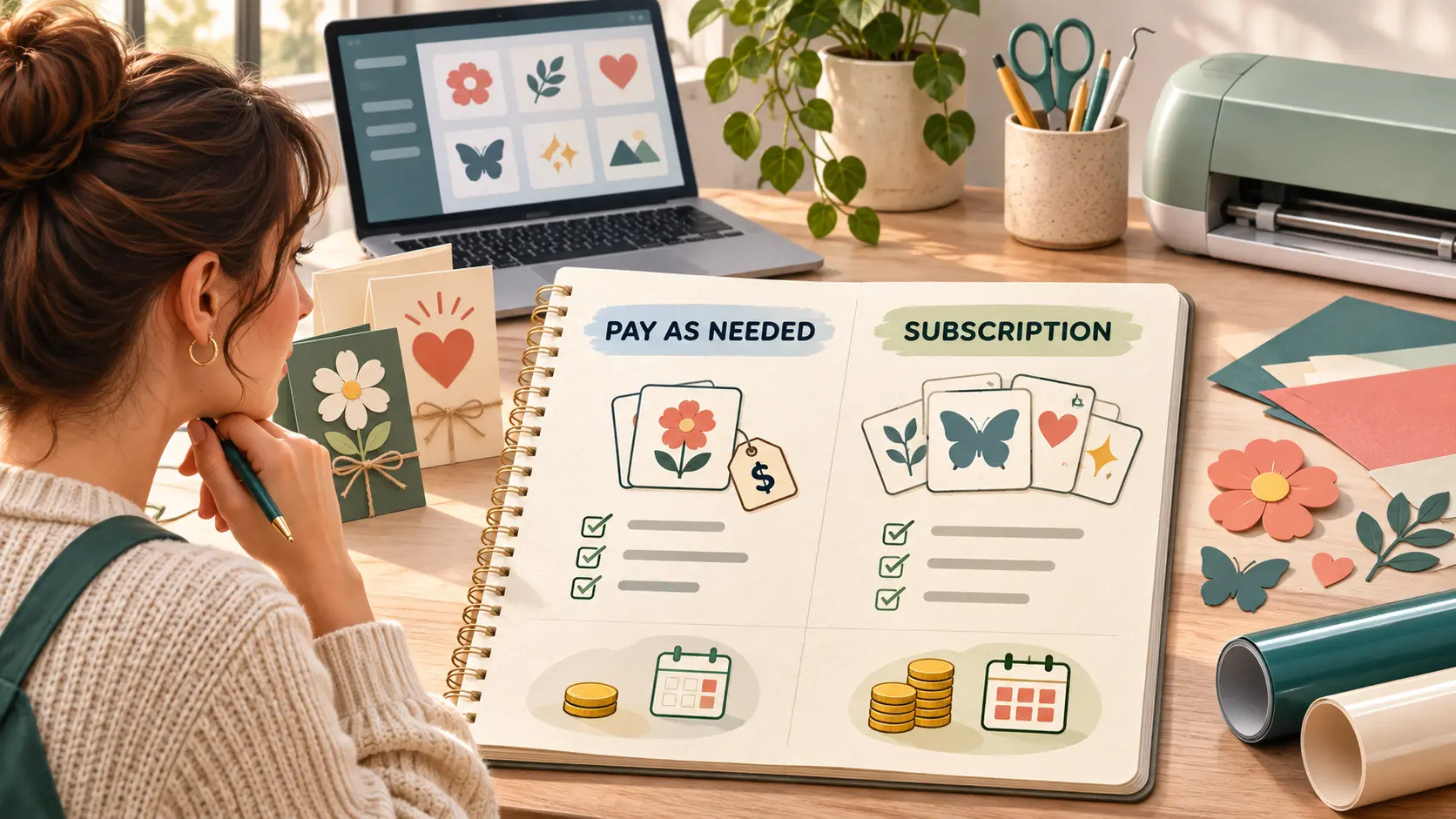
The answer depends on how often you craft and what resources you actually use.
Example: Someone who makes occasional projects
Suppose you use your Cricut for birthdays, holidays and a few personal projects.
You mostly create your own designs and occasionally use free content.
In this situation, the subscription could become an expense without providing much value.
Using free Design Space and buying a specific asset when needed may be more economical.
Example: Someone who frequently uses premium designs
Now imagine that you regularly make cards, decorative items and customized gifts.
You rely on Cricut's premium library for different projects and frequently need new designs or fonts.
Access Standard may simplify your workflow because many eligible assets are available under one subscription.
However, check that the specific designs you want are marked as included in Cricut Access.
Not every licensed design is automatically included.
A simple cost comparison
Suppose you need three individually priced assets during one month, and each hypothetically costs $4.
Your one-time purchases would total:
3 × $4 = $12
That is slightly higher than the advertised $9.99 monthly Access Standard fee.
But this does not automatically make a subscription the better purchase.
The assets you buy individually may remain available under their purchase terms, while subscription access can end when your subscription expires.
You may also prefer to pay once rather than maintain a recurring subscription.
The $4 amount is an illustration, not a claim that Cricut sells all assets at that price.
Example: A frequent crafter who buys materials
Someone who regularly purchases qualifying Cricut materials might benefit from subscription shopping discounts.
However, discounts should be evaluated using actual eligible orders.
A 20% discount on an item you were not planning to buy is not a saving.
Likewise, promotional coupons may have exclusions, minimum spending requirements or other conditions.
Compare your normal purchases against the subscription fee before deciding that a discount pays for the plan.
The practical decision
You are more likely to benefit from a paid plan when the value of its included content, editing features and applicable discounts consistently exceeds what you would otherwise spend.
If you rarely use those benefits, the free application remains a reasonable option.
Is Cricut Access Worth It for Beginners?
A new Cricut owner does not need to subscribe immediately.
The more useful first step is learning how Design Space prepares a project for cutting.
Start with a simple design using free assets or an original SVG.
Work through the basic process of arranging the design, selecting appropriate materials and following your machine's instructions.
This will help you understand whether you enjoy making your own designs or prefer ready-to-make projects.
A sensible beginner approach
Try a few different project types before upgrading.
For example, make a greeting card, a label and a simple vinyl decoration.
Pay attention to whether you can complete the designs using free tools.
If you repeatedly need a specific premium feature, assess whether the corresponding subscription solves that problem.
A free trial may also be available to eligible new subscribers.
Cricut advertises a 30-day trial for eligible users, after which the subscription renews at the applicable paid rate unless canceled.
Trial availability and billing conditions vary.
Review the trial's actual conversion date and terms before accepting it.
Do You Need Cricut Access to Upload SVGs?
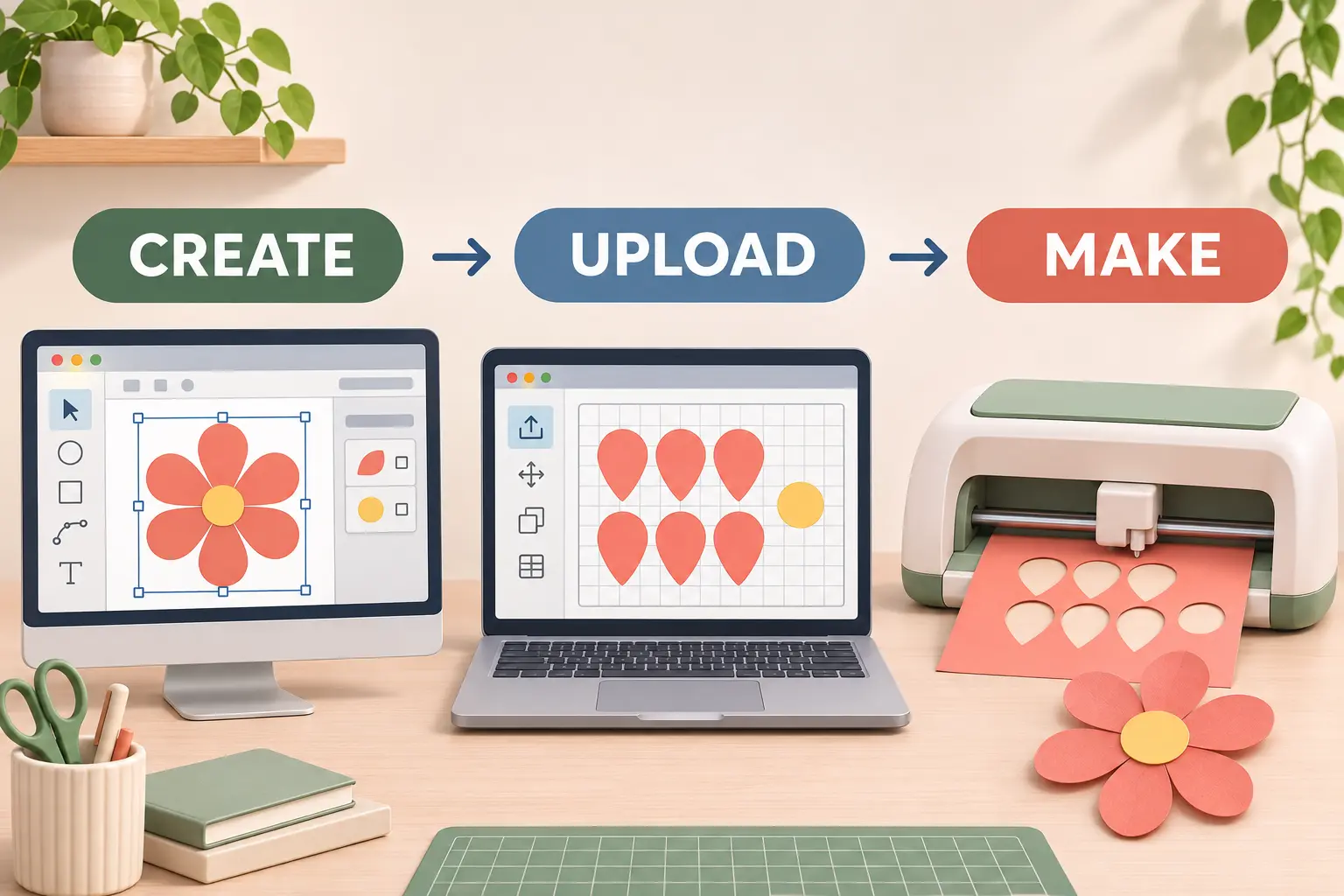
No. Uploading your own compatible SVG files is not an Access-only feature.
That is particularly useful for people who prefer creating their own designs.
Design Space also supports other image formats, including PNG and JPG, although raster images may need additional preparation depending on the project.
SVG files are often useful for clean shapes and cutting paths, but the quality of the original file matters.
What to check before uploading a design
Make sure the file is intended for the type of project you want to make.
An SVG created for a website illustration may contain many tiny details that are difficult to cut from physical materials.
Likewise, an SVG downloaded from a third-party website may contain elements or fonts with licensing restrictions.
A useful design should have suitable paths, manageable detail and the appropriate rights for the intended use.
You should also distinguish between an SVG used to make personal crafts and an SVG you intend to redistribute or sell.
Those activities can involve different copyright and licensing obligations.
What Happens When You Cancel Cricut Access?
Canceling a subscription does not mean your Cricut machine becomes unusable.
You can continue using the free Design Space application.
However, some resources and features associated with the paid subscription will no longer be available once the paid access period ends.
What you keep
Cricut states that your saved projects remain in your account after canceling Access.
You also retain the five most populated Collections available under the free-plan limit.
Your other Collections can reactivate if you subscribe again.
Individually purchased eligible content remains distinct from subscription-only content, subject to the applicable purchase and licensing terms.
What you may lose access to
When the subscription expires, access to subscriber-only images, fonts, projects and editing features ends.
A saved project may remain in your account but still depend on a premium asset that requires an active subscription or separate purchase to make again.
That distinction is important:
Keeping a saved project does not necessarily mean you retain free access to every licensed element inside it.
Cricut's official Collections documentation explains what happens to saved projects and Collections after cancellation.
How to cancel
If you purchased directly from Cricut, you can manage the plan through your account subscription settings.
If you subscribed through Apple's App Store or Google Play, the subscription must be managed through that store.
Cricut's cancellation instructions explain the supported methods.
Review the renewal date, especially if you started with a trial.
Can You Sell Crafts Made With Cricut Access Designs?
Sometimes, but not every design is eligible for commercial use.
If you also create promotional graphics or branding materials for your handmade business, our Canva vs Adobe Express comparison explains design tools, subscriptions, and commercial asset licensing.
This is an important distinction for anyone making handmade products to sell.
Cricut maintains an Angel Policy describing when certain completed physical craft projects may be sold.
The policy is not a blanket commercial license for every image, font, template or AI-generated design in Design Space.
What the Angel Policy generally covers
Under its published conditions, Cricut permits limited sales of certain completed physical craft projects incorporating eligible Cricut content.
The policy states a limit of up to 10,000 qualifying finished projects per year.
But quantity is only one part of the permission.
Other requirements concern the content used, how the finished item is assembled and applicable rights restrictions.
What is excluded?
The policy excludes various types of content and uses.
Examples include certain third-party licensed character artwork, content from the Cricut Contributing Artist Program, Cricut trademark material and particular standalone-cut products.
Selling digital SVG files or copying Cricut library artwork for redistribution should not be assumed to fall under the policy.
There are also restrictions involving AI-generated content.
What about Cricut's Create AI feature?
Cricut's official AI guidance states that images generated using its Create AI feature are for personal use and are not eligible for commercial sales under its Angel Policy.
That limitation matters even if a creator pays for Access.
A subscription may provide tools for generating a design, but it does not automatically grant permission to sell everything generated with those tools.
For the governing conditions, consult the Cricut Angel Policy.
If you create completely original artwork yourself, you must still consider any third-party fonts, images, trademarks or other materials included in the design.
Does a paid subscription give you ownership of Cricut images?
No. Access provides rights to use eligible subscription content under the applicable terms.
It does not transfer unrestricted copyright ownership of the entire image library to subscribers.
That is why the distinction between original artwork, individually purchased licensed content and subscription content matters.
Anyone selling craft products should review the specific rights attached to their designs before listing products for sale.
What About Cricut's AI Credits?
Cricut has introduced AI-related capabilities in Design Space.
Its current subscription pages include monthly credit allowances, which differ by plan.
These credits are associated with eligible AI-powered activities rather than standard machine operation.
Cricut describes these tools as optional.
You can continue using normal Design Space features without generating AI artwork.
There are also privacy considerations.
According to Cricut's AI documentation, using certain AI features may send uploaded content to authorized third-party providers for processing.
Standard non-AI operations do not necessarily involve that same data flow.
Read Cricut's AI guidance if you plan to upload photographs or business artwork for AI processing.
Do not pay for an AI-heavy plan just because it includes more credits.
First decide whether those features are useful for your real crafting projects and whether the associated usage rights meet your needs.
Is Paying Annually Better Than Monthly?
Annual billing usually reduces the effective monthly price, but it requires a larger upfront commitment.
For Standard, the listed annual price is $95.88 compared with $119.88 for twelve separate $9.99 monthly payments.
For Premium, the annual price is $119.88 compared with $179.88 for twelve separate $14.99 monthly payments.
These examples use published standard US prices and exclude taxes and promotions.
If you only need premium designs during one or two months, paying monthly may be more practical.
If you use the same plan consistently throughout the year, annual billing may cost less overall.
However, annual savings are meaningful only if the subscription continues to provide value.
Before choosing an annual plan
Consider whether you expect to use premium assets regularly, whether your projects are seasonal and whether you might need to change plans.
Also review renewal terms and cancellation conditions.
Keeping original SVG files, purchased designs, and project backups organized is important when managing subscription changes. For broader file-management advice, read our guide to decluttering your digital life.
A lower equivalent monthly price should not be confused with a monthly payment plan.
Who Should Choose Free, Standard or Premium?
| Your situation | Plan to evaluate | Main reason |
|---|---|---|
| You mostly upload original SVGs | Free | Core designing and uploading do not require Access |
| You make occasional personal crafts | Free | Avoid a recurring fee for infrequent use |
| You regularly use premium library assets | Standard | Expanded image, font and project access |
| You frequently need subscriber-only editing tools | Standard | Access to eligible premium design functions |
| You use substantial AI features | Compare eligible paid plans | Credit allowances differ |
| You regularly buy qualifying Cricut materials | Compare Premium with Standard | Additional discounts may be useful |
| Your account shows Basic, Plus or Pro | Review account-specific plan terms | Selected users may see experimental options |
| You sell handmade products | Depends on your workflow | Confirm licensing before considering subscription savings |
This is a starting framework, not a guarantee that one plan will be best for everyone.
Frequently Asked Questions
1. Can I use my Cricut without paying a monthly fee?
Yes. Design Space is free to use, and a Cricut Access subscription is not required for ordinary operation of compatible Cricut cutting machines.
2. Are SVG uploads free in Cricut Design Space?
Yes. You can upload your own compatible SVG files without subscribing to Access. You are responsible for having permission to use the artwork.
3. Is Cricut Access Standard enough for most projects?
It may be sufficient if you frequently use the included premium library and standard subscriber features. Premium is mainly worth evaluating when its additional benefits are relevant to your usage.
4. Do I lose my projects when I cancel?
Cricut states that saved projects remain in your account. However, some premium content inside those projects may require renewed access or separate purchase.
5. Can I buy Cricut images without subscribing?
Yes. Eligible premium images and other content can be purchased individually through supported Design Space purchasing options.
6. Can I sell products using Cricut Access images?
Some completed physical projects may be eligible under Cricut's Angel Policy. The permission has exclusions and conditions, so not every image or product is covered.
7. Is the Cricut Access free trial automatically renewed?
Cricut's published trial terms provide for conversion to a paid, automatically renewing subscription unless the eligible trial is canceled according to its terms.
Final Verdict
Cricut Access is useful when you regularly rely on its premium designs, fonts, projects and advanced editing features.
But it is not required to operate a Cricut cutting machine.
For beginners and occasional makers, free Design Space is the sensible starting point. Users who frequently need eligible premium content can compare Standard, Premium and any account-specific plans against their real usage.
Before subscribing, consider the cost of individual assets, how frequently you craft, what happens after cancellation and whether the designs you plan to use carry commercial restrictions.
The best choice is not necessarily the subscription with the most features. It is the option that supports the projects you actually make without unnecessary ongoing costs.


